
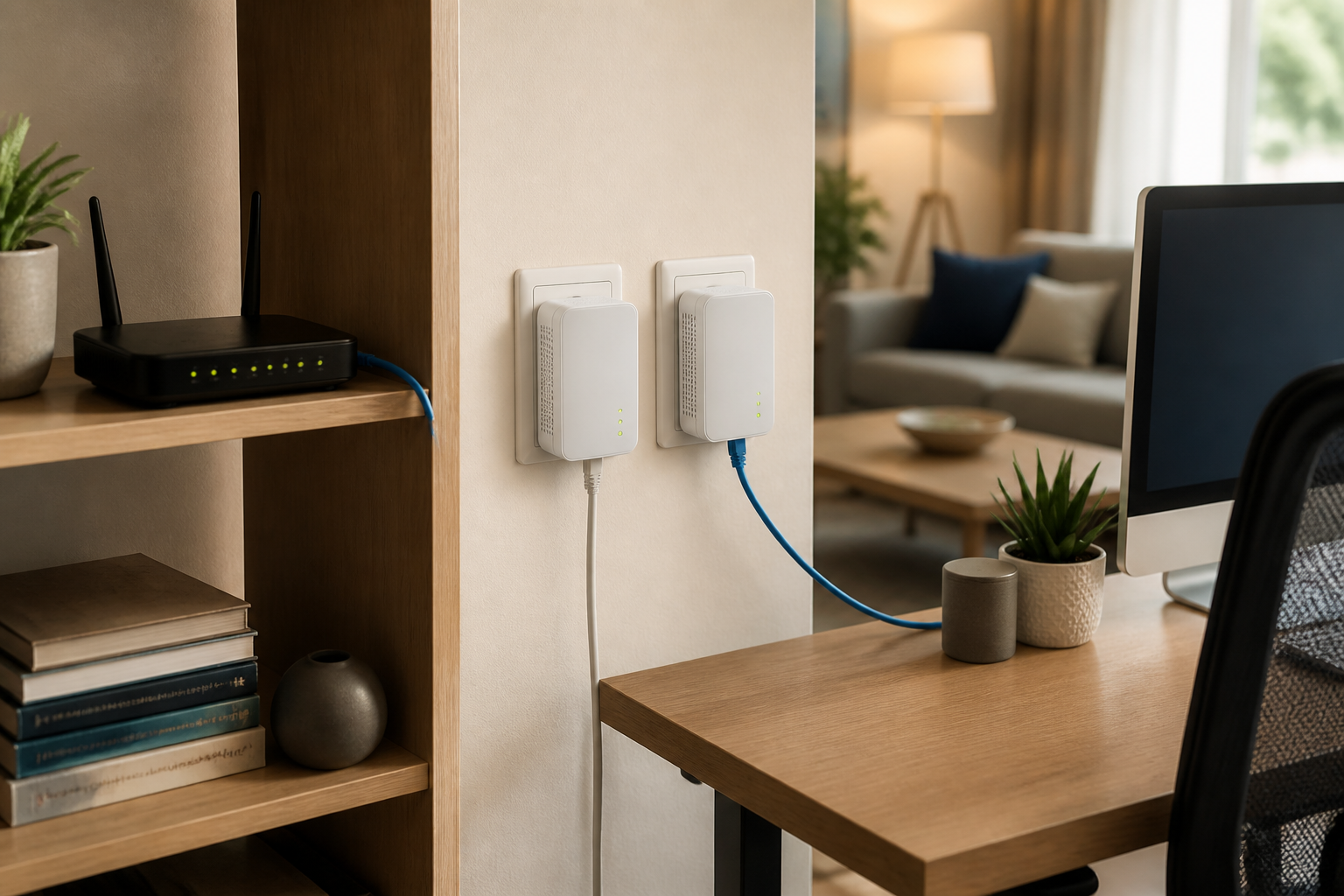
For fixed, performance-sensitive devices such as gaming PCs, consoles, NAS boxes and permanent work desks, Ethernet is usually worth the effort of running cable. Wi-Fi remains the practical choice for phones, tablets and laptops, while powerline is a useful compromise when cable is impractical and Wi-Fi is unreliable — provided the household wiring cooperates.
Don’t judge any option by a single speed test. What matters is whether it stays reliable when the household is busy. Wi-Fi and powerline can both be excellent, but neither deserves to be bought purely on the number printed on the box.
Start with the device, not the technology
Use Ethernet for fixed equipment
Run cable to desktop PCs, consoles, TVs, access points, NAS boxes and home-office desks where practical. It’s usually the most consistent, lowest-latency route, and it avoids competition from neighbouring wireless networks.
The catch is physical. Routing cable through walls, under floors, along skirting or in trunking takes planning. A discreet surface run may suit a rented flat; drilling and permanent sockets may not.
Use Wi-Fi for people and portable kit
Wi-Fi is the default for mobile devices because a cable defeats the point. A well-positioned modern router or mesh system can cover a normal home very effectively, but coverage bars don’t guarantee consistent performance.
If one stubborn room has weak Wi-Fi and cable isn’t realistic, powerline is worth testing from a retailer that permits returns. Treat it as a site-specific fix, not a guaranteed upgrade.
| Option | Reliability and latency | Installation | Flexibility | Best use |
|---|---|---|---|---|
| Ethernet cable | Usually highest and most consistent | Moderate to difficult | Low once installed | Gaming, NAS, desktops, fixed streaming |
| Wi-Fi | Good, but affected by range and congestion | Easy | Excellent | Phones, tablets, laptops, smart-home devices |
| Powerline | Variable; depends on wiring and electrical noise | Easy to moderate | Moderate | One awkward fixed room where Wi-Fi fails |
Suggested caption: A mixed home network: cable for fixed equipment, Wi-Fi for mobile devices, and powerline only where it earns its place.
Ethernet: worth the effort where reliability matters
Ethernet isn’t glamorous, but it removes a major source of uncertainty. A wired link is not subject to the shared-radio conditions that can make Wi-Fi latency and throughput fluctuate. That matters for competitive gaming, video calls from a fixed desk, large NAS transfers and streaming devices that cannot be allowed to buffer during a busy evening. Ofcom notes that wired Ethernet offers a more consistent internet connection; use it where reliability matters most.
Use decent-quality cable, route it safely and don’t leave leads across walkways. If a permanent run is viable, trunking or a properly fitted wall socket is usually less intrusive than an exposed cable you have to live with for years. For detached offices, garden rooms and garages, outdoor-rated cable or a proper point-to-point wireless link may be more appropriate than household wiring.
Wi-Fi: convenient, capable and easily undermined
Wi-Fi isn’t inherently poor. The usual mistake is expecting one router beside the incoming broadband line to cover every corner of a thick-walled house. Brick, metal, water and distance weaken the signal; nearby networks and appliances can add interference. Ofcom advises placing the router centrally, off the floor and away from electrical equipment where possible.
Before buying more hardware, move the router if you can, update its firmware and test the problem room with a laptop or phone. A mesh system can make sense in a wider home because it puts an access point nearer the weak area. But each node still needs a good connection back to the main router. Ethernet backhaul—using a wired Ethernet cable to connect mesh nodes to the main router—is best. Wireless backhaul uses Wi-Fi for that link, so it can reduce performance, but it is still a worthwhile compromise when running cables would be impractical and you need better coverage in a weak room.
Powerline: a workaround, not a cable replacement
Powerline adapters send network traffic over your home’s electrical wiring. One connects to the router by Ethernet; another sits near the device in the remote room. They’re quick to try and avoid permanent alterations, which can make them appealing in rented accommodation or behind solid walls.
The problem is that the electrical installation becomes part of the network. Results vary with wiring age and condition, circuit layout, distance, consumer units and noise from appliances. Manufacturer guidance notes that powerline adapters need to be connected to the same electrical circuit, while installation guidance warns against using a power strip, extension cord or surge protector, as these can reduce or disrupt the signal. Plug them directly into wall sockets where possible, then test them while the household is using its usual equipment.
Ignore advertised powerline rates as a buying guarantee. They are physical-layer headline figures, not promised usable throughput, and real results can be much lower. Powerline may beat weak Wi-Fi in one house and lose badly to it in the next.
Suggested caption: Powerline adapters should normally be connected directly to wall sockets, not hidden behind filtered extension leads.
A quick decision guide
- Gaming or a fixed home office: Start with Ethernet. Use Wi-Fi only if the signal is demonstrably stable; use powerline when cabling is unrealistic.
- 4K streaming box or smart TV: Use Ethernet if it’s nearby, otherwise good Wi-Fi. Powerline can suit a TV in a Wi-Fi dead spot.
- NAS, server or large backups: Ethernet. This traffic is local, so a faster internet package won’t repair a weak in-home link.
- Phones, tablets, smart speakers and sensors: Wi-Fi. They need mobility, and many use little bandwidth.
- Detached room: Don’t assume powerline will cross the electrical arrangement. Test it, but plan for cable or a dedicated wireless bridge if the link matters.
- Rented accommodation: Improve Wi-Fi first, then try powerline. Both avoid permanent alterations.
Editorial graphic brief: connection paths
- Ethernet: Router → Ethernet cable → device.
- Wi-Fi: Router )))) wireless signal )))) device.
- Powerline: Router → Ethernet cable → wall adapter ≋ household wiring ≋ wall adapter → Ethernet cable → device.
Editorial graphic brief: trade-off scale
- Ethernet: speed and consistency high; installation effort high; mobility low.
- Wi-Fi: mobility and ease high; consistency depends on environment.
- Powerline: installation effort low; mobility low; performance certainty lowest.
Editorial graphic brief: decision flowchart
Is the device fixed and performance-sensitive? If yes, can you run cable neatly? Choose Ethernet if you can. If not, is Wi-Fi reliably strong in that room? Use Wi-Fi if it is. Otherwise, test powerline directly in wall sockets. If it proves unstable, return to cable, mesh with wired backhaul, or a dedicated wireless bridge.
FAQ
Are powerline adapters better than Wi-Fi?
Not generally. Powerline can beat weak, obstructed Wi-Fi, but it depends heavily on the electrical wiring. Good Wi-Fi is more flexible and may be faster or steadier than powerline.
Is Ethernet worth installing around the house?
Yes for fixed, demanding equipment. A cable run is an upfront nuisance, but it’s the least temperamental option for gaming, a NAS, a desktop PC, a work desk or a permanently installed television.
Do powerline adapters work across different electrical circuits?
Sometimes, but don’t count on it. Adapter makers specify the same circuit or service panel as the dependable starting point; separate circuits, filters and consumer-unit arrangements can prevent a usable link.
The practical answer: install Ethernet where it makes sense, rely on Wi-Fi for mobility, and use powerline only after it has solved a real coverage or installation problem in your home. The best setup is often a mixture of all three.
Spot an error?
If something factual looks wrong, outdated or misleading, flag it here. Corrections are reviewed separately from normal article comments and reader questions.