
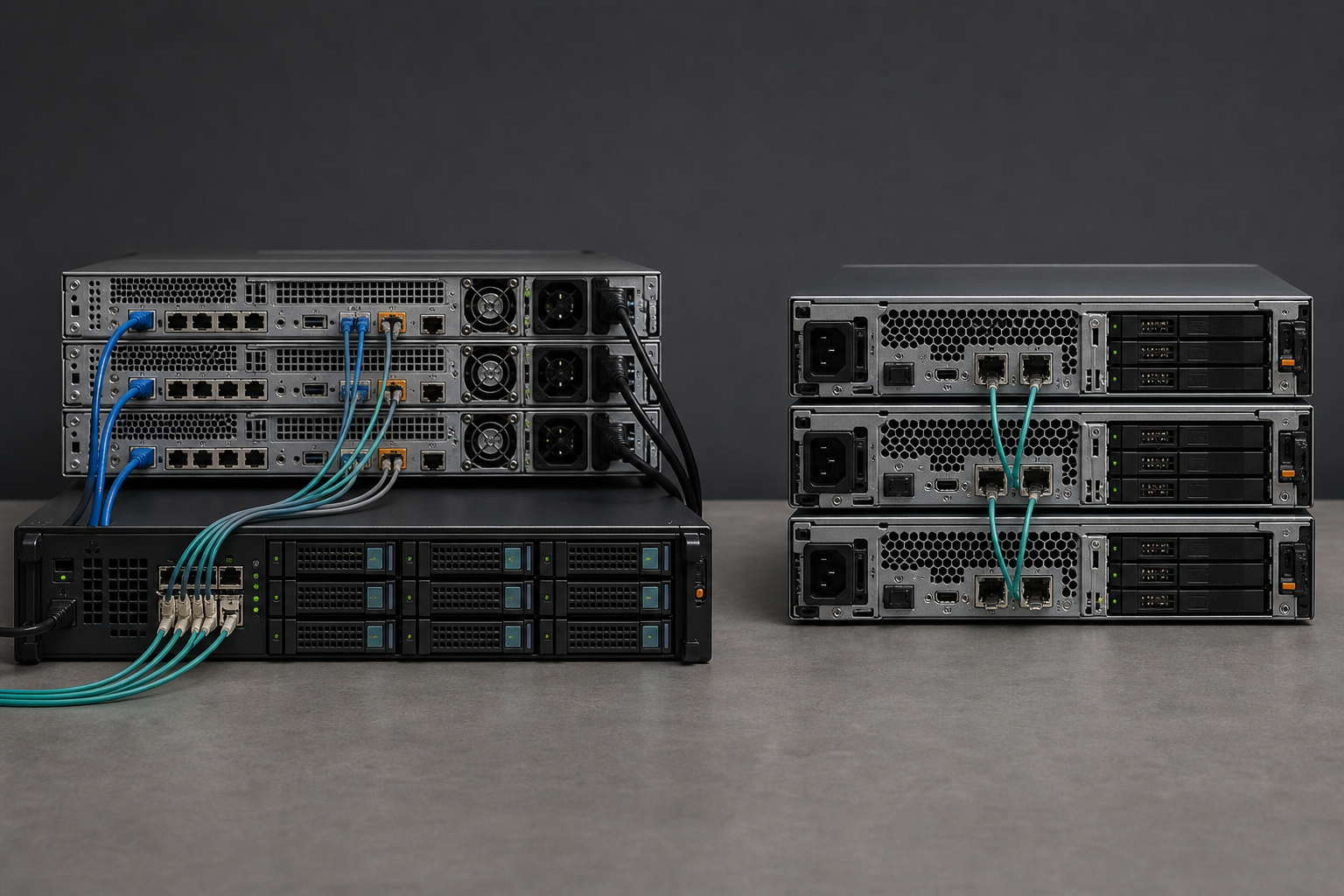
Start with storage and support ownership, not a hypervisor feature grid. HPE VM Essentials is usually the less disruptive route for a VMware estate built around shared storage and deliberately separate infrastructure layers. Nutanix AHV is usually the stronger route when the aim is to operate fewer distinct platforms, even if that means accepting a more opinionated architecture.
HPE VM Essentials (VME) is HPE’s KVM-based hypervisor and management package. It can manage HVM clusters alongside connected VMware vCenter environments, which makes it credible for a staged exit rather than a forced cutover. Nutanix AHV sits within Nutanix Cloud Infrastructure (NCI), where Prism, Nutanix storage, networking and lifecycle tooling form a much more integrated operating model.
Choose VME when retaining a SAN (storage area network), useful storage investment or a modular infrastructure design matters most. Choose AHV when the goal is an HCI (hyperconverged infrastructure) operating model, not merely an ESXi replacement. Neither option abolishes lock-in. Each moves it to a different layer.
The practical judgement: VME changes the virtualisation layer while allowing much of the surrounding estate to remain intact. AHV changes more of the operating model, which can reduce day-to-day friction but makes the Nutanix platform more central to how the estate is run.
This is an operating-model decision, not a feature checklist
VME combines HPE VM Essentials Manager with HPE’s KVM hypervisor, HVM. The manager handles clustering, identity, VM (virtual machine) provisioning, monitoring and logging. It can connect to vCenter, VMware’s management platform, allowing teams to work from one interface while VMware workloads remain in service and selected machines are converted or rebuilt on HVM. That makes it useful where migration will happen in controlled waves rather than during one ambitious weekend. (support.hpe.com)
That does not make VME a drop-in appliance for arbitrary Linux hosts. HPE’s current guidance expects administrators to prepare Ubuntu hosts, configure networking and storage access at operating-system level, and use HPE-certified hardware. VME can save a team from assembling a KVM platform out of upstream parts, but it does not hide the underlying infrastructure. Linux administration, multipathing, network bonds and storage presentation remain real operational work. (support.hpe.com)
Nutanix begins from the other end of the design. AHV is part of NCI rather than a separately licensed hypervisor. Nutanix AOS runs in Controller VMs on the cluster and provides distributed storage services, while Prism is the infrastructure management plane. VMs, cluster storage, networking, health and much of the upgrade process are operated as parts of the same platform. (nutanix.com)
That distinction becomes visible in ordinary work, not in a diagram. With VME, separate infrastructure remains separate. That suits teams with a capable Fibre Channel or iSCSI (Internet Small Computer Systems Interface) estate that they intend to keep. In a conventional Nutanix HCI deployment, local drives are pooled by the Distributed Storage Fabric, making storage inseparable from the nodes that run workloads. Nutanix has expanded its options through NCI Compute and qualified external-storage integrations, so saying that AHV cannot use external storage is no longer accurate. It is still a qualified Nutanix design, however, not a promise that any existing array can be attached with identical behaviour. (nutanix.com)
HPE VME: retain the layers
Servers run HVM while storage can remain on iSCSI, Fibre Channel or NFS (Network File System). It fits organisations with useful shared storage, established SAN skills and a wish to replace VMware without redesigning every adjacent layer.
Nutanix AHV: make the platform the layer
AHV, AOS storage and Prism are designed to work as one system. That can reduce tool hand-offs and upgrade coordination, but it makes Nutanix’s cluster model central to capacity, resilience and lifecycle choices.
Storage is where the comparison gets honest
VME is flexible in the way that matters to many VMware exits. Its reference architecture and product documentation support external iSCSI, Fibre Channel and NFS storage, while internal drives with Ceph can be used for an HCI layout. An organisation with a modern all-flash array, disciplined fabric management and useful contract life remaining does not need to throw that investment away merely to leave VMware. (support.hpe.com)
Flexibility is not the same as unlimited interoperability. A supported VME design needs compatible HPE server hardware and validated configurations. External storage does not mean every switch, array, HBA (host bus adapter) firmware combination and multipath configuration has equal support status. HPE’s deployment material puts host networking and external-storage configuration with the customer or implementation partner. That is sensible engineering, but it needs to be visible in the project plan rather than buried beneath a licence comparison. (support.hpe.com)
Nutanix’s conventional HCI proposition is more prescriptive: place compute and storage capacity in cluster nodes, pool the drives through AOS, then scale by adding nodes. The data path, redundancy settings, snapshots and storage policies are platform functions. For an overstretched infrastructure team, that can be a material advantage. There are fewer datastore-presentation questions, fewer separate consoles and a clearer route through upgrades.
The trade-off is less granular infrastructure choice. Adding CPU may mean buying drives that are not urgently needed; adding capacity may introduce compute that sits underused. Nutanix has compute-only nodes and external-storage offerings for selected designs, but buyers should not mistake those for a fully disaggregated commodity KVM layer. They remain extensions of the Nutanix model, with particular compatibility, licensing and design constraints. (nutanix.com)
The real question is not whether both platforms can run VMs. It is whether you want to keep coordinating separate infrastructure domains or standardise around one integrated cluster platform.
Management: VME spans platforms; Prism owns more of one
For a VMware exit, VME’s attraction is management continuity. It can bring vCenter-connected VMware environments and HVM clusters under VM Essentials Manager, giving teams a common provisioning and automation surface while the estate is split between old and new platforms. That matters when application owners, maintenance windows or ageing operating systems turn migration into a months-long programme. It makes the transition manageable without pretending that coexistence is the final destination. (hpe.com)
One pane of glass is not one control plane. VME can make VM operations more consistent, but it does not remove the need to operate the storage array, SAN, switches, Ubuntu base hosts and HPE manager appliance properly. Teams that value clear separation of duties may see that as a strength. Teams trying to reduce the number of systems they patch, monitor and explain at 2am may see it differently.
Prism’s case is that it owns more of the platform. Nutanix says AHV is managed through the same HTML5 console used for cluster compute, storage and networking, while NCI includes lifecycle-management functions to coordinate upgrades. That integration is substantial rather than cosmetic. In practice, AHV often replaces the vSphere-and-storage operating model together, rather than simply replacing ESXi. (nutanix.com)
There is no magic in integration, either. Prism Central is an additional management service with resource requirements and version compatibility to consider. Advanced disaster recovery (DR), self-service, security and automation may depend on the NCI edition or selected add-ons. Model the target management services before calling AHV cheaper because the hypervisor is included. Nutanix’s NCI licensing is term-based and per core, requires licensing the full core count of a cluster, and also applies to separate disaster-recovery sites. (nutanix.com)
| Decision area | HPE VM Essentials | Nutanix AHV |
|---|---|---|
| Core architecture | KVM-based HVM clusters managed by VM Essentials Manager; can coexist with managed vCenter environments. | AHV integrated into Nutanix Cloud Infrastructure, alongside AOS storage and Prism management. |
| Storage fit | Strong fit for retaining qualified FC, iSCSI or NFS storage; Ceph-based HCI is also available. | Natural fit is Nutanix distributed storage on cluster nodes; qualified external-storage options exist for particular designs. |
| Operational centre | VM manager plus the existing storage, network and Linux-host disciplines. | Prism and Nutanix lifecycle tooling provide a more unified cluster operating model. |
| Hardware choice | Requires HPE-certified server configurations and compatible surrounding infrastructure. | Runs on Nutanix, OEM and qualified third-party platforms, but within Nutanix hardware compatibility rules. |
| Likely lock-in | HPE’s validated software, server ecosystem and management appliance; less pressure to replace the array. | Nutanix software, lifecycle, storage fabric and licensing model; broader server choice than the HCI stereotype suggests. |
| Cost driver to watch | Subscription, support, server refresh and continuing SAN or array costs. | Per-core NCI subscription, node sizing, edition or add-ons and DR-site licensing. |
Lock-in has not vanished. It has changed shape.
HPE’s “zero lock-in” language deserves caution. VME gives organisations latitude to retain external storage and leave VMware on a staged timetable. Yet the supported route still means HPE VM Essentials software on certified HPE infrastructure, with HPE’s appliance, qualification matrix and support model. That is vendor dependence, even when it is a sensible fit for an existing HPE estate. (hpe.com)
Nutanix has more hardware optionality than its original appliance reputation suggests. NCI can run on Nutanix appliances, OEM systems and qualified third-party servers, and Nutanix lists HPE among its OEM and validated hardware options. Licences are described as portable across the supported platform range. An HPE customer is not forced towards VME just because the racks contain ProLiants. (nutanix.com)
Moving AHV workloads away later, however, means moving away from AOS storage abstractions, Prism workflows and Nutanix’s VM-centric data services. That can be a good trade. A consistently run platform standard is often worth more than theoretical freedom. It should be called platform standardisation, though, not freedom from dependency.
Good: use VME when preserving the estate is the sensible economy
VME is the sensible route when the VMware exit is principally a hypervisor and management problem. Typical signs include a healthy all-flash array with several years of useful life, reliable FC or iSCSI networking, a storage team comfortable with multipathing and presentation, and applications that do not justify a wholesale infrastructure redesign.
It is also credible for a phased migration. Managing connected VMware vCenter environments alongside HVM reduces the administrative cliff edge, although it does not remove conversion testing. This route can keep capital spending focused: refresh compute where necessary, retain storage where it remains technically and commercially sound, then migrate in waves.
The price is continued architectural plurality. You retain the benefits of a SAN along with its firmware, zoning, capacity and support responsibilities. VME is not the answer for a team whose real goal is to make storage administration largely disappear.
Better: choose AHV when the target is simpler operations, not merely lower VMware licensing
AHV is the better route when an organisation is ready to replace separate operational layers with an HCI platform. It suits branch estates, virtual desktop infrastructure, general server virtualisation and datacentre refreshes where node-based scaling is acceptable and integrated administration matters more than component-level flexibility.
This is not just about a friendlier interface. Nutanix’s distributed-storage and Prism model puts VM placement, data protection, health monitoring and lifecycle operations inside one platform. A small infrastructure team can benefit from that consistency, particularly when too much time is spent coordinating storage, virtualisation and server maintenance windows.
Do not buy it solely because AHV is described as licence-free. AHV is included with NCI, but NCI itself is a subscription platform priced by core and edition. A credible business case compares the full stack: nodes, usable capacity after resilience requirements, support, software term, DR, network changes, migration labour and the retirement value of existing storage. (nutanix.com)
Best: work backwards from workloads and support boundaries
The best route is usually less dramatic than the sales presentation. Standardise each workload class on the platform that removes the most operational risk without forcing an unjustified refresh. A VMware estate with expensive external storage, unusual FC dependencies and a narrow change window may sensibly move first to VME. A site approaching a three- or four-node refresh, with general-purpose workloads and limited specialist resource, may be better served by AHV.
Not every workload needs to move at once. Some organisations will run VMware, VME and AHV during transition. The danger is allowing that temporary state to harden into an accidental three-platform estate. Set an end-state for each application group, define the exception process, and put dates against legacy dependencies rather than letting them become permanent architecture.
Before committing to either platform, ask five unglamorous questions:
- Which guest operating systems, virtual appliances and application vendors are explicitly supported on the target hypervisor?
- Will backup, replication, antivirus, monitoring and privileged-access tools retain their required capabilities after the move?
- Does the migration preserve network identity, MAC-address expectations, IP addressing and application licensing assumptions?
- What capacity remains after resilience overhead, snapshots, growth allowance and a host failure?
- Who owns the support call when the fault crosses hypervisor, server, storage and network boundaries?
Those checks matter more than first-wave migration speed. Nutanix offers Move for migrations from VMware and other sources, while HPE positions VME around VMware image conversion and coexistence. The tools reduce mechanical work; they do not certify application behaviour, replace testing or resolve VMware-specific dependencies. This VMware exit strategy using HPE VME or Veeam covers the wider sequencing, backup checks and rollback planning.
Neither HPE VME nor Nutanix AHV is a token VMware alternative. Both have credible support, management and lifecycle stories. The useful distinction is simpler than the product messaging makes it sound: VME lets you change virtualisation while retaining much of the design already in place; AHV asks you to adopt a more integrated infrastructure model in return for a cleaner operating experience. That is the choice worth pricing, testing and debating.
This virtualisation platform value comparison places both options alongside Proxmox, Hyper-V and HPE’s broader management proposition. It is useful context, but it does not replace the architecture decision here.
Sources and further reading
- HPE Morpheus VM Essentials Software Documentation: Getting Started
- HPE Reference Architecture for HPE VM Essentials Software
- Nutanix AHV product and FAQ information
- Nutanix Acropolis Advanced Administration Guide
- Nutanix Cloud Infrastructure editions and licensing information
- Nutanix hardware platforms and qualified server options
- Nutanix Cloud Infrastructure with external storage
Spot an error?
If something factual looks wrong, outdated or misleading, flag it here. Corrections are reviewed separately from normal article comments and reader questions.